Script in · finished video out

Turn any script into a finished video — right on your PC

Paste a script and get a captioned 1080p video with real stock footage, natural narration and music — plus a full YouTube upload pack. Built on your own PC. One-time purchase, no subscription.

One-time ₹999 / $12 · 3-day money-back guarantee · instant email delivery · Windows

Built on your PC Real stock footage No monthly fees
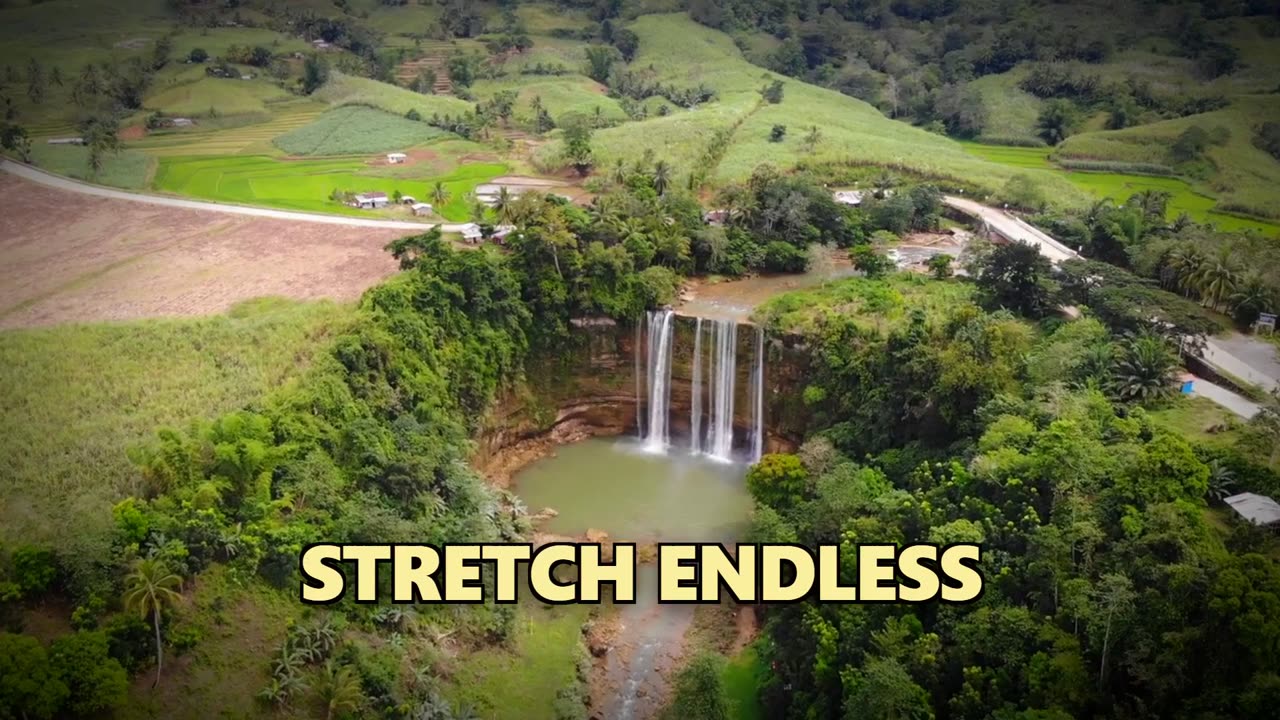
Real render — unedited

A real video made by ScriptToScreen — footage, captions & voiceover, all automatic. Nothing edited by hand.

Built on your PC Buy once, use forever Real stock footage 3-day money-back UPI & card
Everything in one app

A whole video team, on your machine

Paste a script and ScriptToScreen handles voice, footage, captions, music, the render, and your full upload pack — no editing skills, no studio, no monthly tools.

Natural voiceover — English & हिन्दी

Lifelike narration generated on your machine from your script, in English or Hindi (new in v1.4). No mic, no recording — tap the video above to hear it.

Real footage, auto-matched

Picks relevant stock clips for every line and trims them to your narration — automatically.

Word-by-word captions

Styled, perfectly synced captions that boost watch time and work with the sound off.

Mood-matched music

Royalty-free background music chosen to fit your topic and auto-ducked under the voiceover.

Full YouTube pack

Every video comes with a thumbnail, a title, description & tags, and caption files (SRT/VTT) — ready to upload.

One price, forever

Buy once and own it. No per-video credits, no monthly bill — ever.

From blank page to upload

Simple from the first day

A quick guided setup the first time, then it's four steps to every video.

0

One-time setup (~10 min)

A simple guided setup — the app walks you through it, step by step. No technical know-how needed.

1

Paste your script

Drop in any script — a tutorial, a story, a news explainer, anything.

2

Pick your options

Choose aspect ratio, voice and style — or just use the defaults.

3

It builds & you upload

Voice, footage, captions and music render into a finished 1080p MP4 — with your thumbnail, captions and YouTube title/description/tags pack ready to publish.

Who it's for

Built for anyone who'd rather write than edit

Faceless YouTube channels

Publish consistently without filming, voicing or editing. Scale a channel solo.

Affiliate & review channels

"Top 10s," product reviews and listicles — turn a script into a finished review fast.

Marketers & small business

Product explainers, ads and social clips — without an agency or a videographer.

News & explainer creators

Spin up topical, footage-rich videos fast while a story is still hot.

Solo creators

No team, no studio, no subscriptions. One app does the whole pipeline.

Agencies & freelancers

Deliver more client videos per week without growing your edit team.

Why ScriptToScreen

Own it once — don't rent it monthly

Tools like Pictory and InVideo are cloud subscriptions that meter every render and upload your content. ScriptToScreen flips that.

 ScriptToScreenPictory / InVideo & similar
PricingOne-time — ₹999 / $12~$18–48 / month
Hindi narrationYes — native हिन्दी voices + captionsRare / poor Hindi support
Where it runsYour PCTheir cloud
Your scripts & videosStay on your PCUploaded to a server
Per-video costNoneCredits / render limits
WatermarkNeverOften on lower tiers
YouTube upload packIncludedPartial / extra

Competitor pricing as publicly listed, mid-2026; plans and limits vary.

Simple pricing

One purchase. Yours forever.

No subscription, no per-video fees, and a 3-day money-back guarantee. Pay once and keep creating.

One-time purchase ScriptToScreen — Windows
₹999/ $12

one-time payment · lifetime license

  • Lifetime license — buy once, use forever
  • Voiceover, footage, captions, music & YouTube pack — all included
  • Built on your PC — unlimited videos, no per-video credits
  • 6 months of free updates & email support (24 h replies)
  • Instant delivery — license key by email
Choose how to pay

Checkout

Your license key + download link arrive by email within minutes.

Pay $12 — Outside India 🌍 International cards / PayPal only
🇮🇳 In India? Use the ₹999 button — it takes UPI, Indian debit/credit cards and netbanking. (Indian cards are usually declined on the $12 international checkout.)
3-day money-back guarantee — if it's not for you, email us for a full refund.
After payment you get your key + download link by email. First run includes a simple guided setup (~10 min) — the app walks you through it. See the FAQ →

Secure checkout via Razorpay & Gumroad · 3-day refund.

Questions

Good to know

Can it make videos in Hindi? ▾

Yes — new in v1.4. Pick हिन्दी next to the voice on the Make tab, write your script in Hindi, and you get natural Hindi narration, Devanagari word-by-word captions, matched footage, and a Hindi title/description pack. English and Hindi are both included in the same one-time price.

Is there a money-back guarantee? ▾

Yes — a 3-calendar-day, no-questions-asked money-back guarantee. If it's not for you (or you get stuck in setup and we can't get you running), email us within 3 days for a full refund.

Can I see a real video it made? ▾

The clip at the top of this page is a real, unedited render straight from the app — footage, captions and voiceover, all automatic. Tap it for sound to hear the narration, and see the Examples section for more.

Is the setup technical? ▾

No technical knowledge needed. There's a simple one-time setup the first time you open the app (about 10 minutes) — the app walks you through it step by step, and it's free. After that, you just paste a script and go.

Do I need an internet connection? ▾

Yes — ScriptToScreen needs internet to fetch the stock footage and generate the voice & script. The video itself is then built and rendered on your own PC, and your scripts and finished videos are never uploaded to us.

Which operating system does it run on? ▾

ScriptToScreen is a Windows desktop app — Windows 10, 11 and later versions (64-bit). It installs in a couple of minutes. The first launch may show a Windows SmartScreen notice — click "More info → Run anyway"; the app runs entirely on your PC.

What are the PC requirements & how long does a render take? ▾

Any 64-bit Windows 10, 11 or later PC (~8 GB RAM recommended) — no special graphics card needed. Rendering uses your CPU, so it isn't instant: a 5-minute 1080p video takes roughly 20–40 minutes depending on your machine. Maximum video length is 12 minutes.

Can I pay with UPI? ▾

Yes. Indian buyers pay instantly via UPI (or card) through Razorpay; international buyers pay by card/PayPal. Your key is emailed within minutes either way.

Is it really a one-time purchase? ▾

Yes. You pay once and own the app — no subscription and no per-video charges, ever.

What voices and languages are available? ▾

Multiple natural-sounding English voices are built in. Need a specific voice or language (e.g. Hindi, Telugu)? Email us at animationany1@gmail.com — tell us what you need and we'll prioritise it.
Stop editing. Start publishing.

Turn your next script into a finished, captioned video tonight — backed by a 3-day money-back guarantee.

Get ScriptToScreen — ₹999 / $12